Seven indicators for NinjaTrader 8*: support and resistance, multi-timeframe trend, RSI and Stochastics, a trailing stop and a tape-speed gauge. Each one comes with a PDF user guide, free updates and email support.
By purchasing, you agree to our Terms, License, and Risk Disclaimer. Trading involves risk of loss.
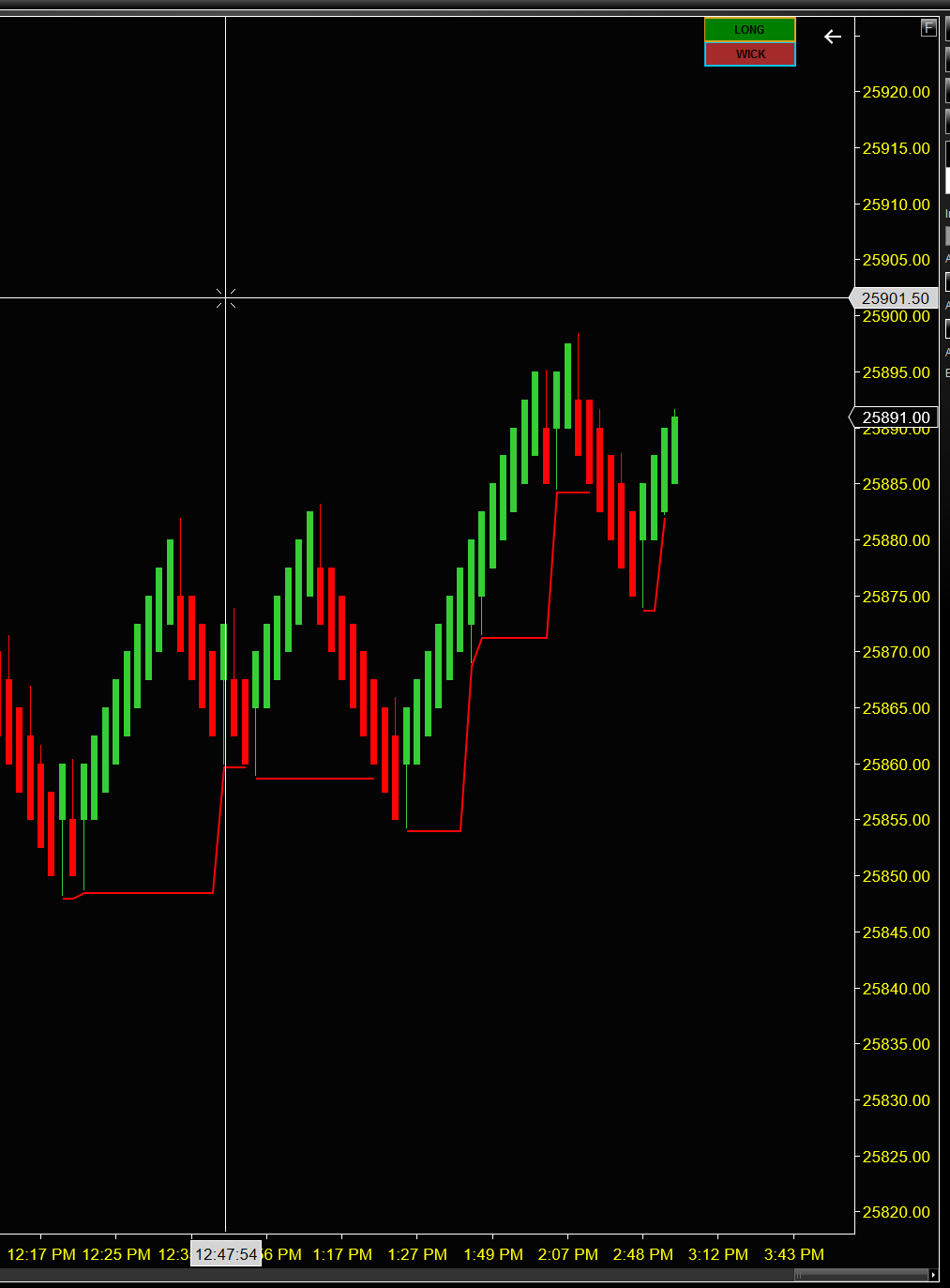
A professional-grade trailing stop tool optimized for renko-type bars, preferably ones showing wicks. It calculates and displays dynamic trailing stop levels based on multiple methodologies, allowing traders to visualize optimal exit points for both long and short positions. An intuitive on-chart button interface lets you instantly switch between trailing methods and trade directions without recalculating historical data.
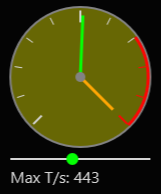
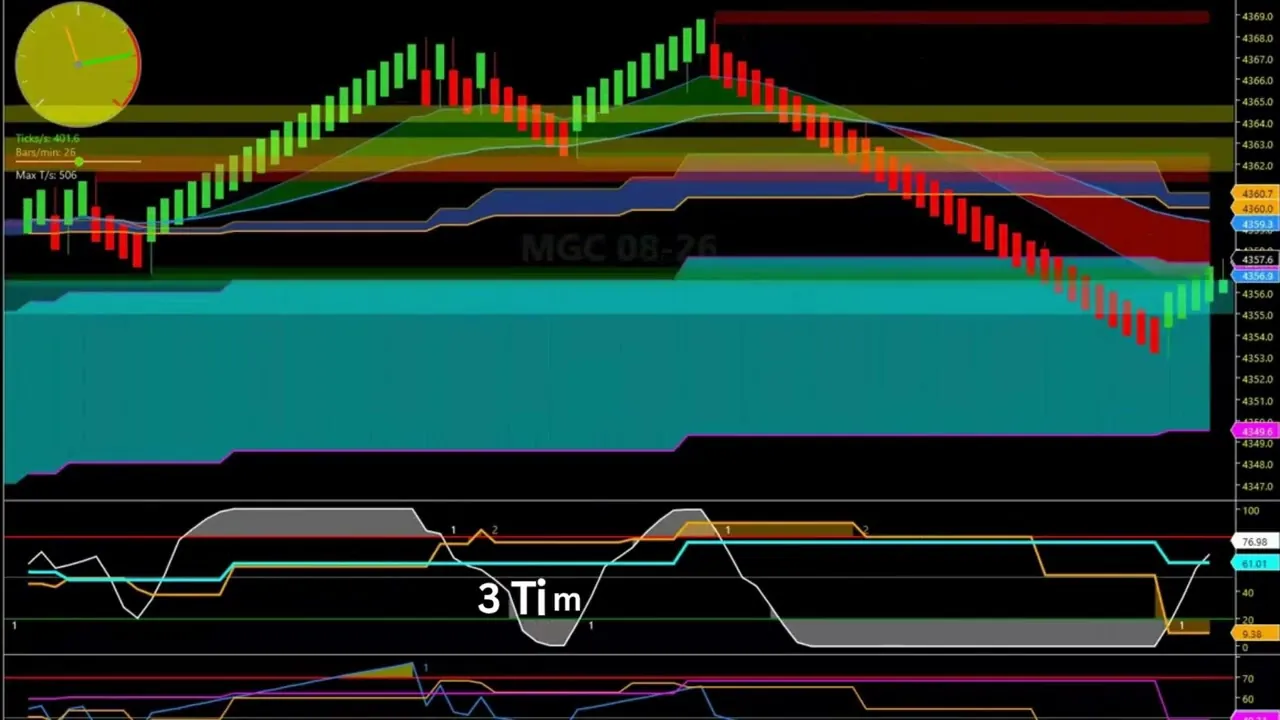
A live, on-chart gauge that shows how fast the tape is moving at a glance — no need to watch raw Time & Sales. It displays two independent needles on a single dial: a green TICKS/SEC needle (trade prints per second) and an orange BARS/MIN needle (bars formed in the last 60 seconds). The gauge face glows yellow as activity rises, with a red redline zone at the top, so a busy tape is obvious from across the room.
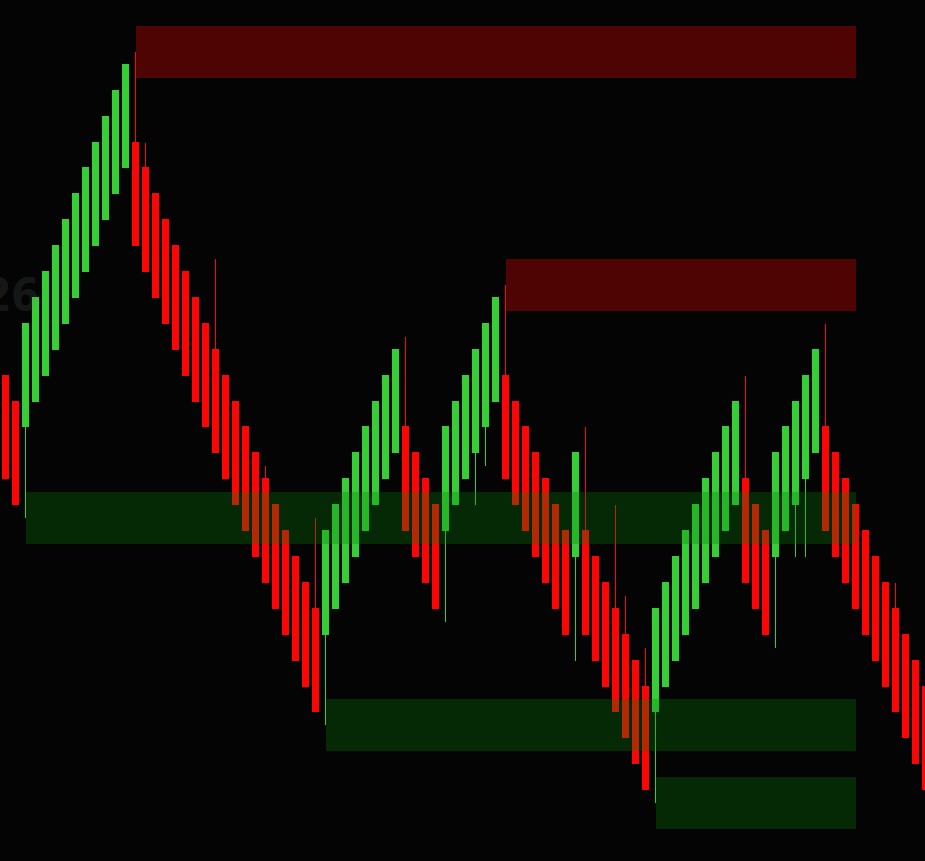
Automatically finds the most recent significant price swings and marks them as support and resistance. Swing lows become support (green) and swing highs become resistance (red). You control how significant a swing must be, how many levels to show, and whether they're drawn as clean lines or shaded zones.
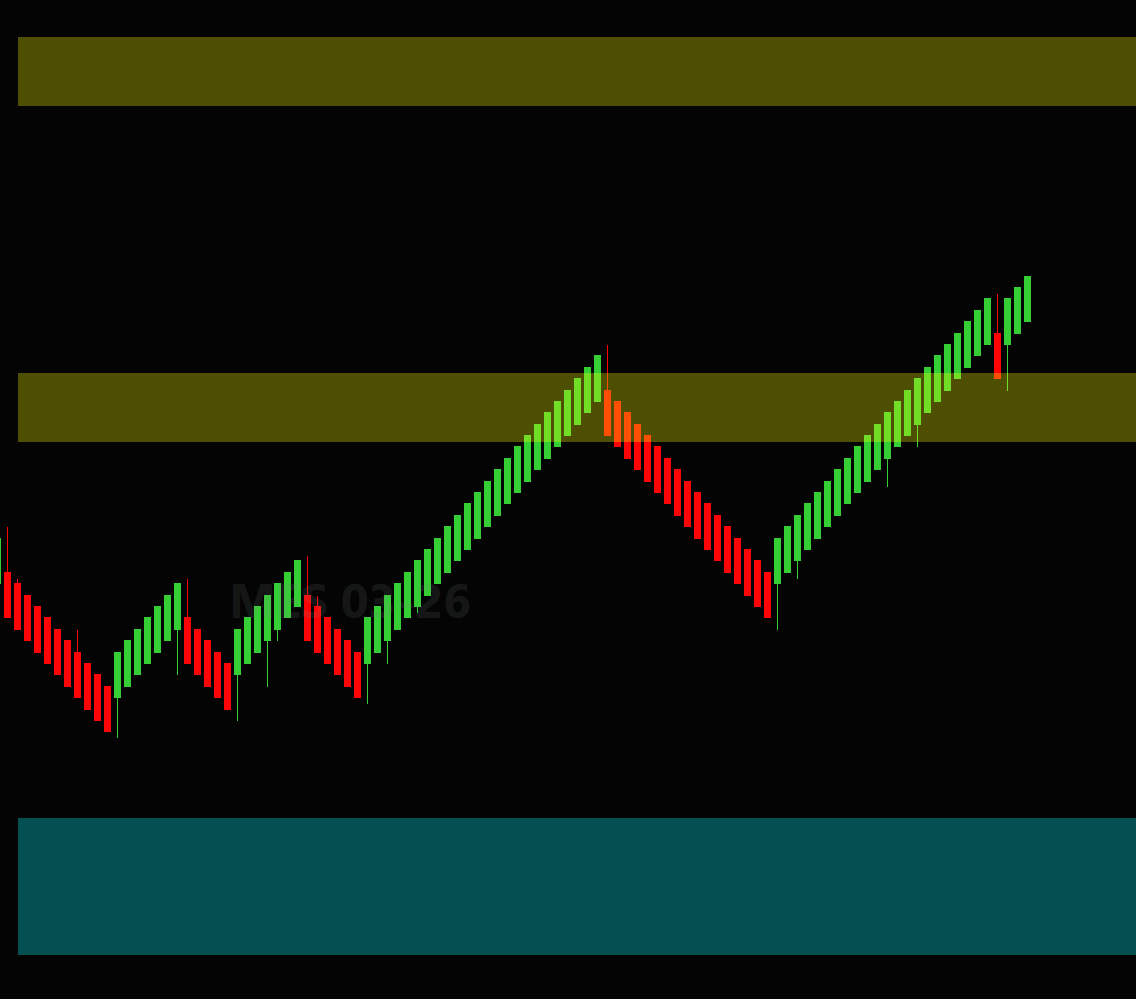
Finds significant price swings on a higher (secondary) timeframe that you choose, then draws those support and resistance levels right on your current chart. Trade a fast chart while seeing the levels that matter on, say, the 15- or 30-minute — without opening a second chart. Drawn as clean lines or shaded zones.
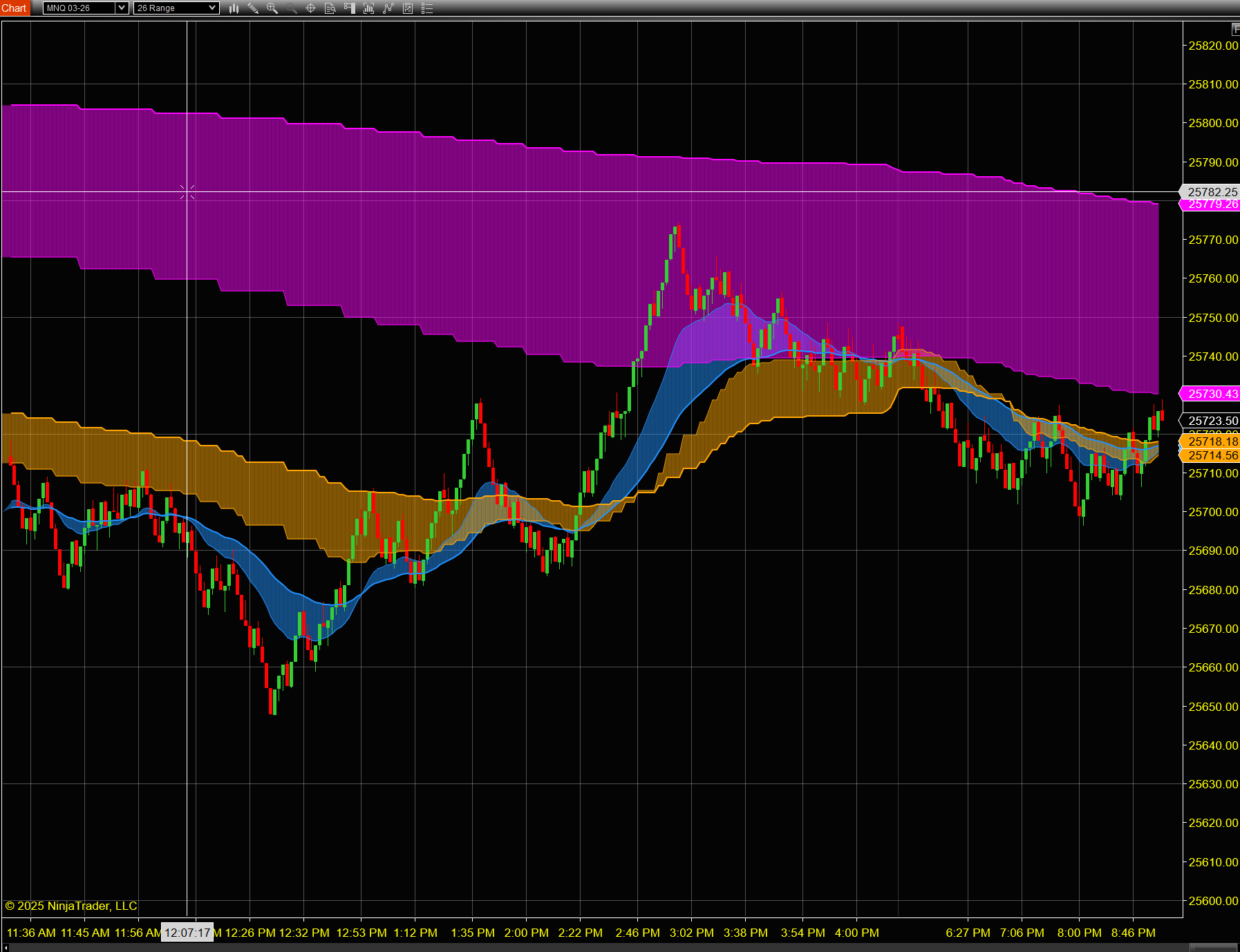
Displays moving averages from three different timeframes simultaneously on your chart. Each timeframe shows a fast and slow moving average pair, with a colored region drawn between them to visualize the trend spread.
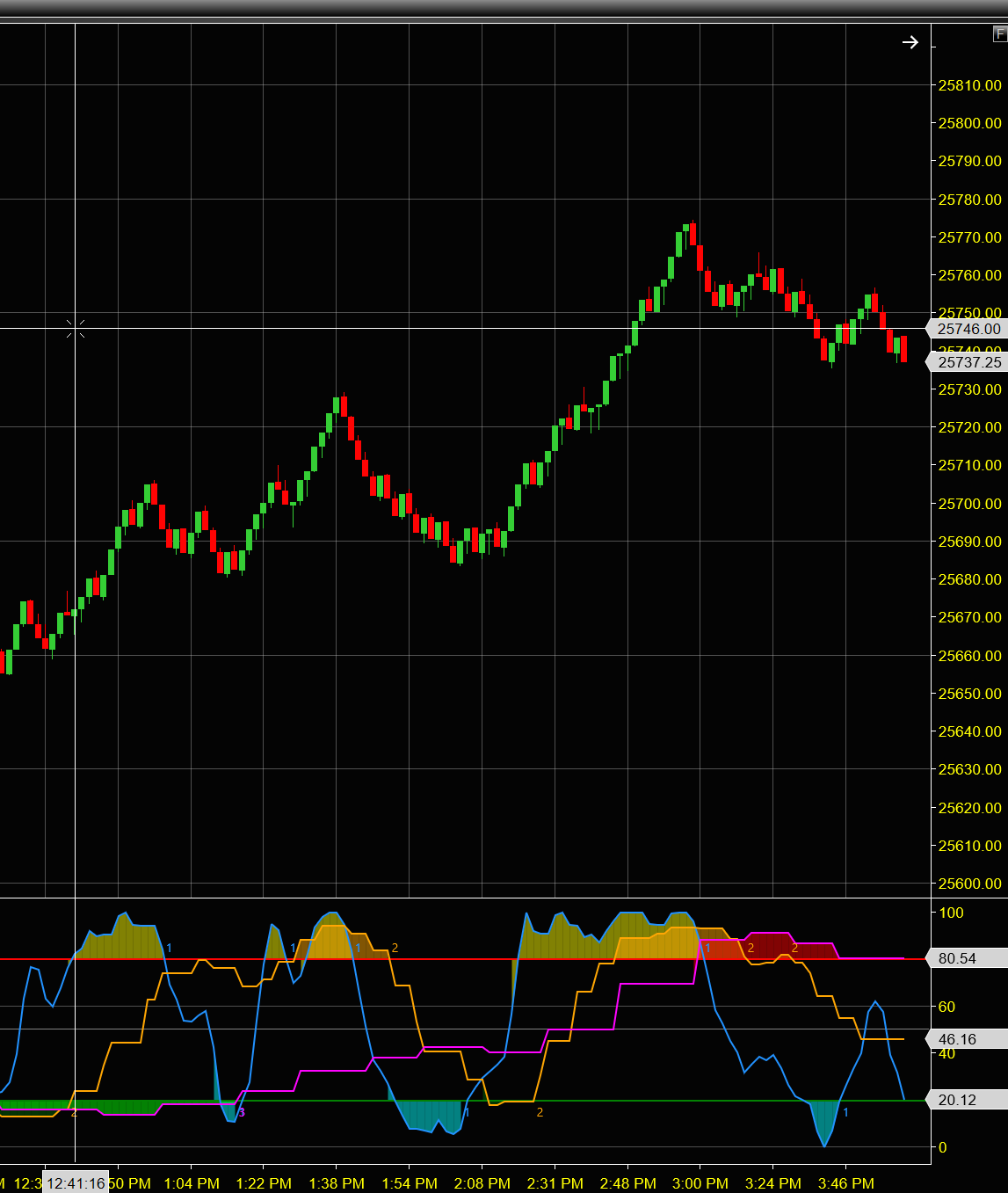
Displays Stochastics from three different timeframes simultaneously on a single panel. This allows traders to quickly assess market conditions across multiple timeframes and identify high-probability setups when all timeframes align.
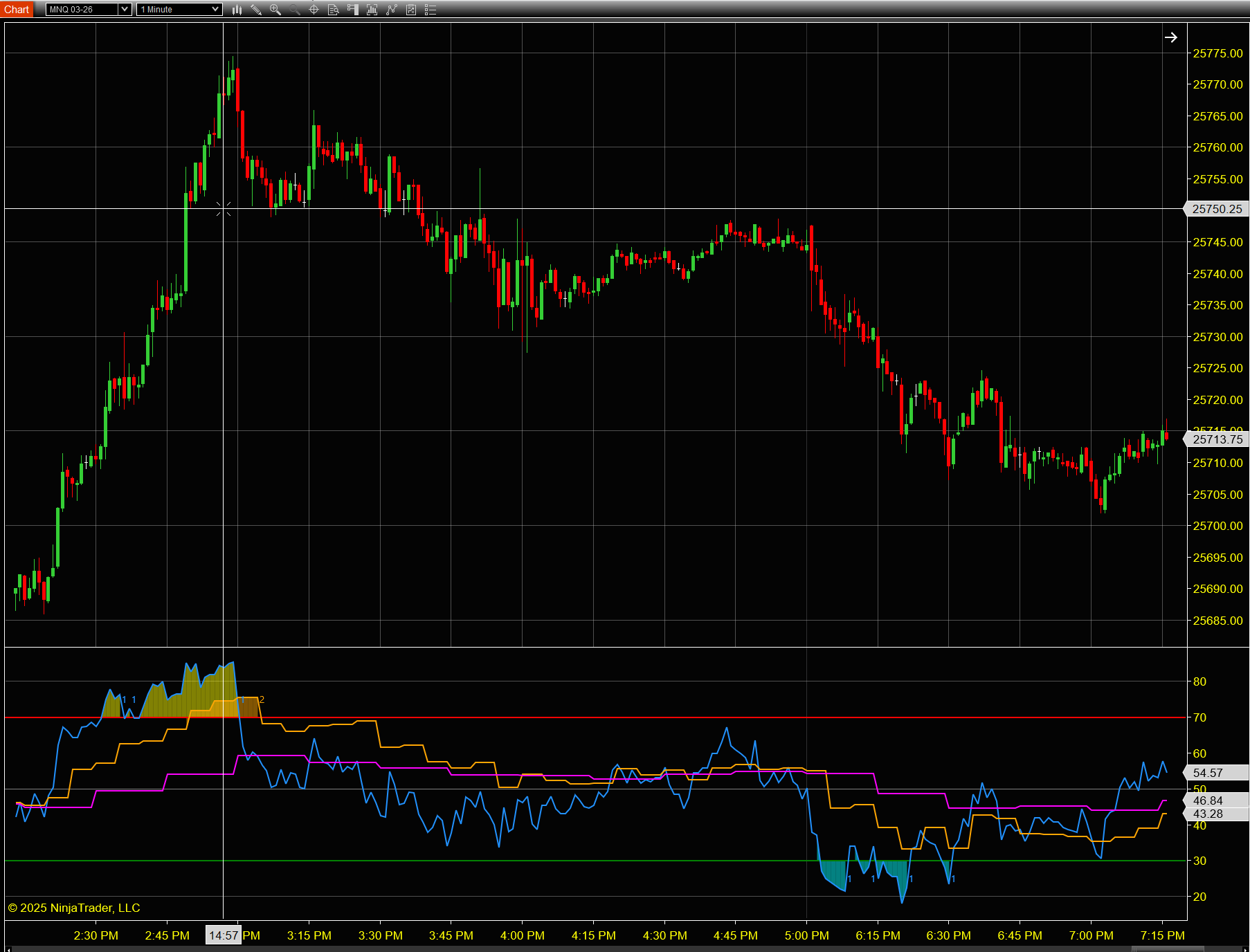
Displays RSI (Relative Strength Index) from three different timeframes simultaneously on a single chart panel. This powerful tool helps traders identify overbought and oversold conditions across multiple timeframes, providing a comprehensive view of market momentum.
Already purchased? Activate your license keys to unlock your indicators.
Activate License Watch how to activate| Indicator | What it does | Useful for |
|---|---|---|
| Trailer | Draws a trailing stop for long or short trades using four methods you can switch on the chart. | Managing exits, especially on Renko-type bars |
| Speedometer | A gauge showing trade prints per second and bars formed per minute. | Seeing when the tape speeds up or goes quiet |
| Support & Resistance | Marks recent swing highs and lows as resistance and support, as lines or zones. | Planning entries, stops and targets |
| Support & Resistance, Secondary Timeframe | Shows a higher timeframe's swing levels on your current chart. | Trading a fast chart without losing the bigger picture |
| 3 Timeframe Trend | Fast and slow moving averages from three timeframes on one chart. | Checking whether the trend lines up across timeframes |
| 3 Timeframe Stochastics | Stochastics from three timeframes in one panel. | Timing entries when momentum agrees |
| 3 Timeframe RSI | RSI from three timeframes in one panel. | Spotting overbought and oversold conditions across timeframes |
Many traders watch a fast chart for entries and a slower one for direction. In NinjaTrader that usually means extra chart windows, or adding data series and stacking indicators by hand. The 3 Timeframe indicators put three timeframes of trend, RSI or Stochastics in one place, so you can see at a glance when they agree. The Secondary Timeframe version of Support & Resistance does the same for price levels.
Demo videos for several indicators are on each indicator's page and on our YouTube channel.
Yes. They're built for NinjaTrader 8 and install as a NinjaScript add-on through Tools, Import, NinjaScript Add-On.
Any instrument you chart in NinjaTrader 8, including futures such as ES and NQ. They work from your chart's data, so results depend on the bar type and data feed you use.
Copy your Machine ID from Help, About in NinjaTrader, enter it with your Whop license key on the Activation page, and paste the key you receive into the indicator's LicenseKey setting. The activation video shows every step.
Each license covers up to 2 computers you own. If you reinstall NinjaTrader or switch computers, activate again; if you've reached the limit, email support@tradebrary.com to free up a slot.
Yes. One-time purchases include lifetime updates.
Yes. The bundle includes all seven indicators for less than buying them separately.
Because the indicators are digital and delivered instantly, all sales are final once license keys are issued. Please read the user guides and our Refund Policy before purchasing.